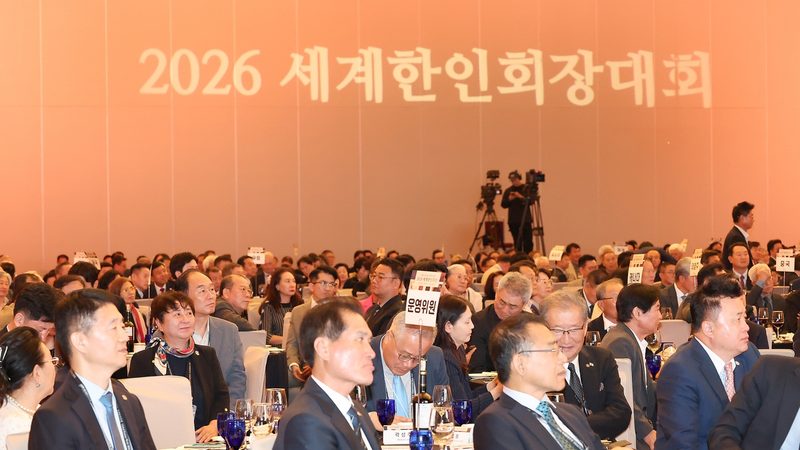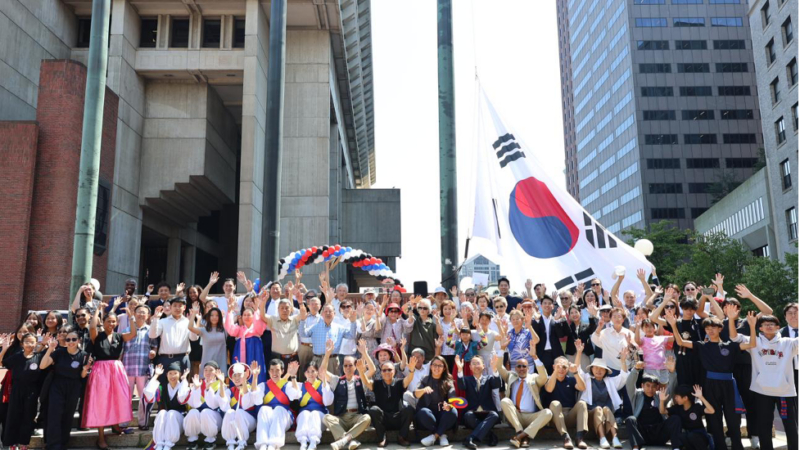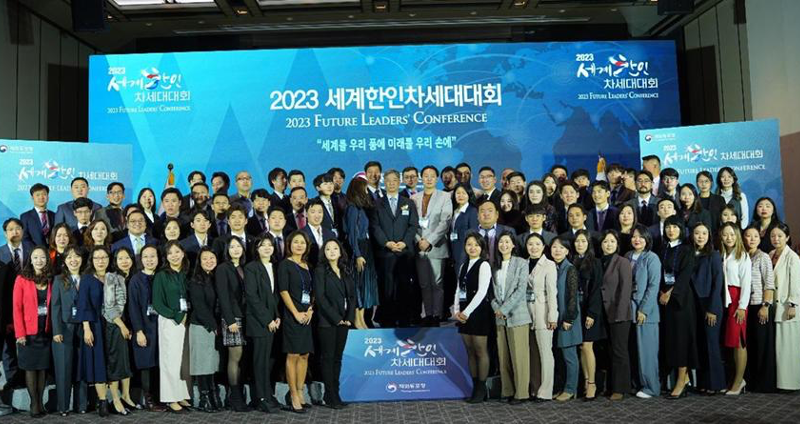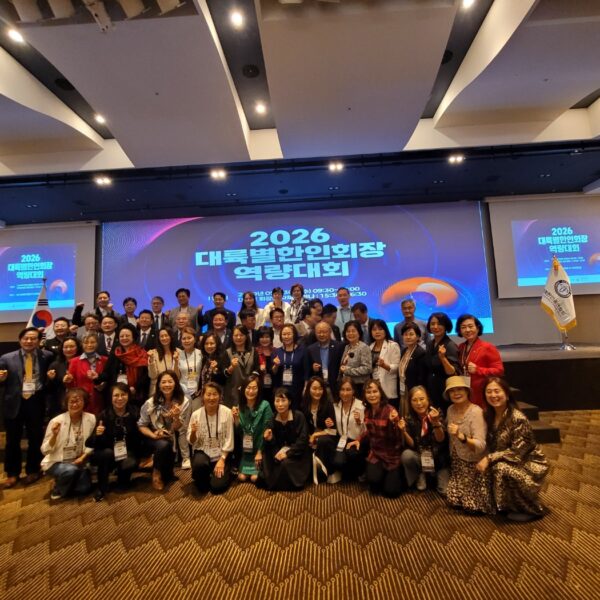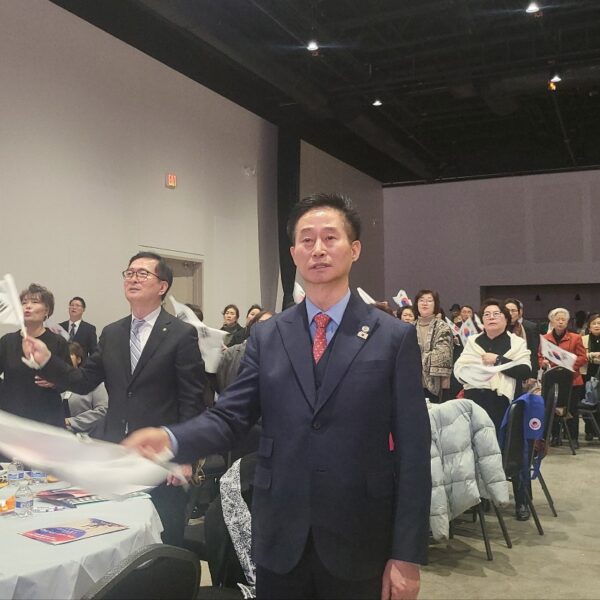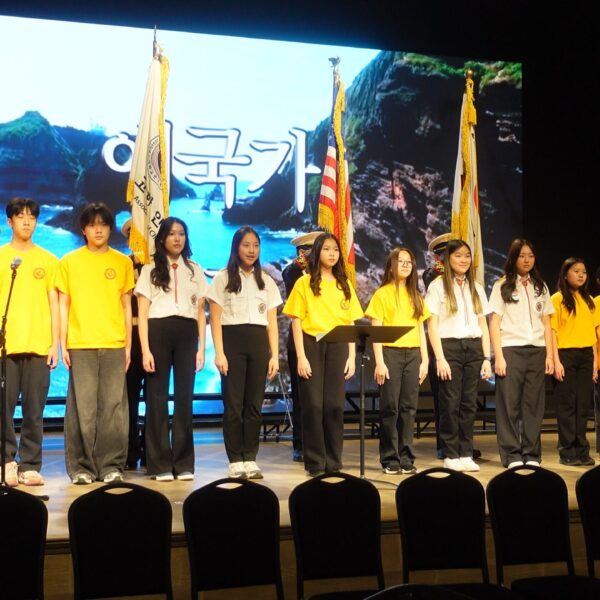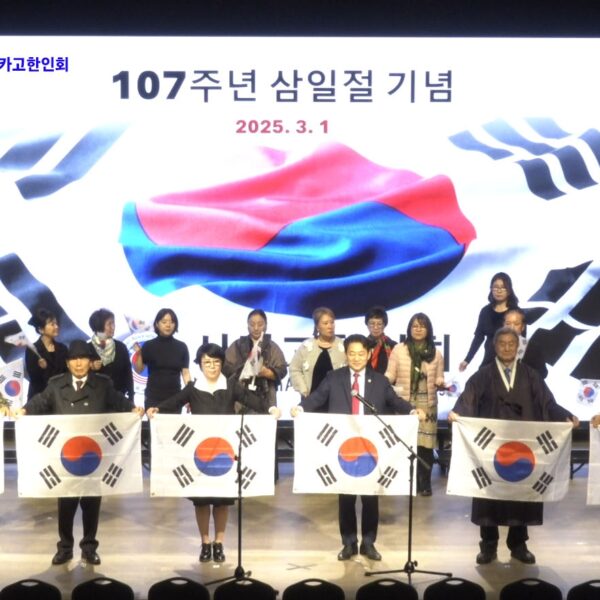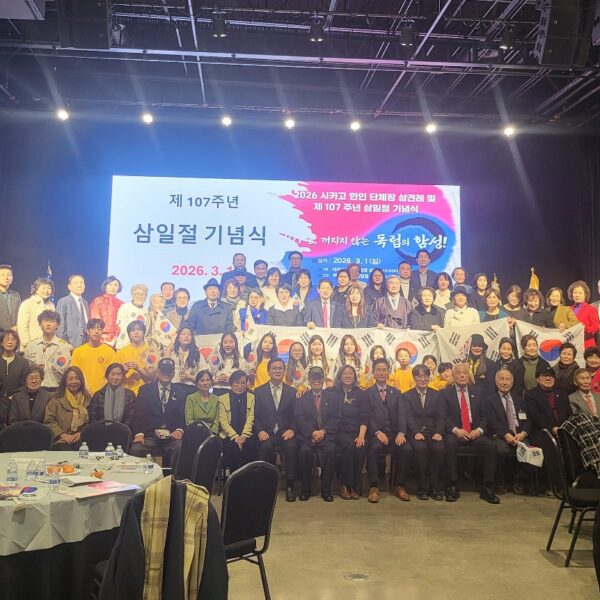


미주한인회총연합회는...

  • ‘미주 지역에 거주하는 한인들의 단결과 협력을 증진하고,한인 사회의 이익을 위해 노력하겠습니다.

  • 한인들을 대표하여 다양한 사회, 문화, 정치, 경제적 이슈에 관여하고 미주 한인들의 권익을 옹호하는 역할을 할 것입니다.

  • 또한, 한인들 간의 소통과 공동체 의식을 강화하고 한인들의 사회적, 경제적 발전을 돕기 위해 다양한 프로그램과 행사를 개최하겠습니다.

  • 재외동포들의 화합, 단합을 위해서도 노력하겠습니다. 더 나아가 미주지역 타민족들과도 함께 연계하며 더좋은 이웃이 되도록 노력하겠습니다!

총회장 서정일

  • WordPress.org blog: WordPress 7.0.2 Release
    by John Blackbourn on 2026년 07월 17일 at 6:45 pm

    WordPress 7.0.2 is now available. The 7.0.2 security release addresses one critical and one high severity security issue. Because this is a security release, it is recommended that you update your sites immediately. Due to the severity, the WordPress.org team have enabled forced updates via the auto-update system for sites running affected versions. To manually update you can visit your WordPress Dashboard, click “Updates”, and then click “Update Now”, or you can download WordPress 7.0.2 from WordPress.org. On sites that support automatic background updates, the update process will begin automatically. Security updates included in this release The security team would like to thank the following people for responsibly reporting vulnerabilities and allowing them to be fixed in this release: A facilitated SQL injection issue reported as a team by TF1T, dtro, and haongo A REST API batch-route confusion and SQL injection issue leading to Remote Code Execution reported by Adam Kues at Assetnote / Searchlight Cyber For more information on this release, please visit the HelpHub site. Backports WordPress 6.9 is affected by both vulnerabilities. Version 6.9.5 has been released containing fixes for both. WordPress 6.8 is only affected by the first vulnerability. Version 6.8.6 has been released containing a fix. The beta release of WordPress 7.1 is affected by both vulnerabilities. Version 7.1 beta2 has been released containing fixes for both. Versions of WordPress prior to 6.8 are not affected. CVE and GHSA references CVE-2026-60137 / GHSA-fpp7-x2x2-2mjf CVE-2026-63030 / GHSA-ff9f-jf42-662q Thank you to these WordPress contributors This release was led by John Blackbourn and Barry Abrahamson. In addition to the security researchers mentioned above, WordPress 7.0.2 would not have been possible without the significant contributions of the following people: Aaron Jorbin, Alex Concha, annezazu, Barry, David Baumwald, Dominik Schilling, Ehtisham Siddiqui, Joe Dolson, Joe Hoyle, John Blackbourn, Jonathan Desrosiers, Marius L. J., Matt Mullenweg, Mohammad Jangda, Peter Wilson, Sergey Biryukov, vortfu, Weston Ruter, plus representatives from Altis, Automattic, Bluehost, Cloudflare, GoDaddy, Hostinger, and WP Engine.

  • Ultimate WordPress Spam Protection Guide – Step by Step (2026)
    by Editorial Staff on 2026년 07월 17일 at 5:01 pm

    If you run a WordPress site, then you know that spam is a real annoying problem whether it comes to contact forms, WordPress comments, or user registrations. The good news is that stopping spam in WordPress is a lot easier than you probably think, and… Read More » The post Ultimate WordPress Spam Protection Guide – Step by Step (2026) first appeared on WPBeginner.

  • Gutenberg Times: The post editor is going full iframe: what block developers need to know before WordPress 7.1
    by Ryan Welcher on 2026년 07월 17일 at 4:21 pm

    For years, the post editor has lived a double life. The Site Editor renders your blocks inside an iframe. The post editor — where most people actually spend their time — renders them directly in the admin page. That split ends with WordPress 7.1: the post editor canvas will always be an iframe, on every theme, no matter what apiVersion your blocks declare. The Gutenberg plugin has been enforcing exactly this for months. If you ship blocks, assume the iframe. If your block never touches the global document or window, you can probably stop reading after you’ve changed "apiVersion": 2 to "apiVersion": 3 in block.json. For everyone else — and especially anyone shipping blocks that wrap third-party libraries — the iframe changes where your code runs versus where your markup lives. That gap is where things break. Quick reference guide: Are your blocks ready? The timeline, in one table ReleaseWhat happensJune 21, 2021The iframed editor was announced on make.wordpress.orgWordPress 6.9 (Dec 2025)Console warning (with SCRIPT_DEBUG) when a block registers with apiVersion 2 or lower. The block.json schema now only validates apiVersion: 3.WordPress 7.0 (Apr 2026)The iframe decision now looks at blocks actually inserted in the post, not every registered block. All inserted blocks on v3+ → canvas is iframed. Insert a single v1/v2 block → the iframe is removed on the fly. Nothing is enforced yet.Gutenberg 22.6+The iframe is enforced regardless of theme — this is the feedback-gathering phase.WordPress 7.1 (Aug 19, 2026)The iframe is enforced on every theme, regardless of apiVersion. The conditions are gone, not tightened. The WordPress 7.0 change is subtle but important: before 7.0, one apiVersion: 2 block registered by any active plugin — even one never used in the post — kept the entire editor out of the iframe for everyone. Now only inserted blocks count. Your v3 block gets the iframe until the user inserts a legacy one, at which point the editor quietly reloads the canvas without the iframe. The companion plugin ships a legacy-api-v2 block so you can watch this happen — insert it into an otherwise-v3 post and the iframe disappears. In 7.1, that escape hatch closes. Worth knowing, as an aside: the “every theme” decision landed in WordPress 7.1 Beta 1, and it’s deliberately being tested in public. Gutenberg merged “Post editor: always iframe” (#74042) on July 10, 2026, deleting the theme and apiVersion conditions outright. The 7.1 release lead signed off on that merge on the condition that the team could “move to the softer approach” if Beta 1 feedback surfaced real problems — the softer approach being enforcement on block themes only, with everything else staying on the 7.0 rules. No specific mechanism is committed to; the plan is to respond to what the beta actually turns up.Which is a reason to test harder, not to wait and see. If that rollback happens, the iframed and non-iframed editors both stay in the wild longer — and your block has to work in both regardless of which way it goes. It’s also worth noting that blocks that will break with the 7.1 changes are most likely already breaking in the Site Editor. Why the iframe is a good thing This isn’t change for change sake. Rendering the canvas in an iframe gives the editor a real document boundary: Admin CSS stops leaking into your content. No more #wpadminbar-adjacent style resets, no more admin styles subtly changing how blocks render in the editor versus the front end. Viewport units and media queries finally work. vw, vh, and @media rules resolve against the canvas, not the admin page — so tablet/mobile previews and zoomed-out views actually behave like the front end. What you see is much closer to what you get. The canvas document is built from your theme’s styles, not the admin’s. The issue this raises for block developers? Your editor JavaScript runs in the admin page, but your block’s DOM lives in a different document. Every assumption baked into document.querySelector(...) and window.addEventListener(...) just became wrong. What actually breaks (and how to fix it) Everything below is demonstrable with the companion plugin — each pattern ships as a broken/fixed pair of blocks: iframe-editor-examples on GitHub. 1. Global window and document references The classic: a block that reads the viewport or listens for resize. JavaScript// Broken in the iframed editor useEffect( () => { const update = () => setWidth( window.innerWidth ); update(); window.addEventListener( 'resize', update ); return () => window.removeEventListener( 'resize', update ); }, [] );// ❌ Broken in the iframed editor useEffect( () => { const update = () => setWidth( window.innerWidth ); update(); window.addEventListener( 'resize', update ); return () => window.removeEventListener( 'resize', update ); }, [] ); Editor scripts load in the admin page, so window is the admin window. In the iframed editor this reports the wrong width and never reacts to the canvas resizing — switch to the Tablet preview and the number doesn’t move. The fix is to derive the document and window from your block’s own DOM element: JavaScript// Fixed — works iframed or not import { useRefEffect } from '@wordpress/compose'; const ref = useRefEffect( ( element ) => { const { defaultView } = element.ownerDocument; const update = () => setWidth( defaultView.innerWidth ); update(); defaultView.addEventListener( 'resize', update ); return () => defaultView.removeEventListener( 'resize', update ); }, [] ); const blockProps = useBlockProps( { ref } );// ✅ Fixed — works iframed or not import { useRefEffect } from '@wordpress/compose'; const ref = useRefEffect( ( element ) => { const { defaultView } = element.ownerDocument; const update = () => setWidth( defaultView.innerWidth ); update(); defaultView.addEventListener( 'resize', update ); return () => defaultView.removeEventListener( 'resize', update ); }, [] ); const blockProps = useBlockProps( { ref } ); Two things to notice: element.ownerDocument is whatever document the block is rendered into — the iframe’s document when iframed, the admin document when not. ownerDocument.defaultView is that document’s window. Code written this way is context-agnostic: it doesn’t care whether the iframe exists. useRefEffect (from @wordpress/compose) instead of useRef + useEffect: it re-runs the callback when the ref changes, so if the block ever moves between documents, your listeners re-attach to the right window. 2. “Close on outside click” and other document-level events This one is my favorite because it fails weirdly. A dropdown that closes when you click outside, implemented the way every React tutorial teaches it: JavaScript// Broken in the iframed editor useEffect( () => { const closeOnOutsideClick = ( event ) => { if ( ! containerRef.current.contains( event.target ) ) { setIsOpen( false ); } }; document.addEventListener( 'click', closeOnOutsideClick ); return () => document.removeEventListener( 'click', closeOnOutsideClick ); }, [] );// ❌ Broken in the iframed editor useEffect( () => { const closeOnOutsideClick = ( event ) => { if ( ! containerRef.current.contains( event.target ) ) { setIsOpen( false ); } }; document.addEventListener( 'click', closeOnOutsideClick ); return () => document.removeEventListener( 'click', closeOnOutsideClick ); }, [] ); In the iframed editor, clicks inside the canvas happen in the iframe’s document. They never bubble to the admin document, so the listener never fires. The result: click another block in the canvas and the dropdown stays open — but click the admin sidebar and it closes. Same code, same block, works perfectly in the non-iframed editor. This is the kind of bug report you’ll get from users that “can’t be reproduced” — because whoever tested it happened to have a v2 block sitting in their post, which quietly dropped the iframe and made everything work. Fix: same principle, attach to element.ownerDocument instead of document (see the plugin for the full useRefEffect version). 3. Editor styles enqueued into the wrong document If you’re styling your block’s editor experience with enqueue_block_editor_assets, those styles load in the admin page — outside the iframe. They silently stop applying the moment the canvas is iframed: PHP// Loads in the admin page — never reaches the iframed canvas. function myplugin_enqueue_editor_styles() { wp_enqueue_style( 'myplugin-editor', plugins_url( 'editor.css', __FILE__ ) ); } add_action( 'enqueue_block_editor_assets', 'myplugin_enqueue_editor_styles' );// ❌ Loads in the admin page — never reaches the iframed canvas. function myplugin_enqueue_editor_styles() { wp_enqueue_style( 'myplugin-editor', plugins_url( 'editor.css', __FILE__ ) ); } add_action( 'enqueue_block_editor_assets', 'myplugin_enqueue_editor_styles' ); The fix is to register editor styles through block.json, which WordPress injects into the canvas document, iframed or not: JSON{ "editorStyle": "file:./index.css" }{ "editorStyle": "file:./index.css" } (add_editor_style() also gets copied into the iframe, if you need theme-level editor styles.) The demo plugin makes this visual: the same block carries a green banner from editorStyle and a red banner from enqueue_block_editor_assets. Count the banners — two means no iframe, one means you’re iframed. 4. Stale CSS written for the leaky editor The section above is about CSS loading into the wrong document. This one is the sneakier inverse: the stylesheet loads into the right document — injected straight into the canvas, exactly as intended — and still gets it wrong, because of what it was written to describe. These are the rules that quietly stop matching, or start over-matching, once the canvas becomes its own document. It’s the code that’s been sitting in themes and plugins for years, “working,” right up until the iframe is enforced. Selectors keyed on admin body classes The most common one, and it fails exactly like the “close on outside click” bug — silently. CSS/* The canvas body no longer carries these classes */ .wp-admin .my-block { padding: 2rem; } body.block-editor-page .my-block__title { font-size: 2rem; }/* ❌ The canvas body no longer carries these classes */ .wp-admin .my-block { padding: 2rem; } body.block-editor-page .my-block__title { font-size: 2rem; } Inside the iframe, the canvas <body> is a clean document — no wp-admin, no block-editor-page. The selector matches nothing and your editor styling just evaporates. Same block, same stylesheet, works perfectly in the non-iframed editor. CSS/* Scope to the block, not the admin chrome */ .my-block { padding: 2rem; } .my-block__title { font-size: 2rem; }/* ✅ Scope to the block, not the admin chrome */ .my-block { padding: 2rem; } .my-block__title { font-size: 2rem; } .editor-styles-wrapper does still wrap the canvas content inside the iframe, so .editor-styles-wrapper .my-block keeps working if you need genuinely editor-only styling — but the admin ancestor was almost never necessary in the first place. Offsets that compensate for admin chrome CSS/* Subtracting the admin sidebar and adminbar from the viewport */ .my-fullwidth { width: calc( 100vw - 160px ); } /* 160px = admin menu */ .my-toolbar { position: fixed; top: 32px; } /* 32px = #wpadminbar *//* ❌ Subtracting the admin sidebar and adminbar from the viewport */ .my-fullwidth { width: calc( 100vw - 160px ); } /* 160px = admin menu */ .my-toolbar { position: fixed; top: 32px; } /* 32px = #wpadminbar */ This is the flip side of the win from earlier: now that 100vw resolves against the canvas instead of the admin page, there’s no sidebar to subtract — so the calc() overshoots, and top: 32px pushes your toolbar below an admin bar that doesn’t exist in this document. CSS/* The canvas is the viewport now — no compensation needed */ .my-fullwidth { width: 100vw; } .my-toolbar { position: fixed; top: 0; }/* ✅ The canvas is the viewport now — no compensation needed */ .my-fullwidth { width: 100vw; } .my-toolbar { position: fixed; top: 0; } Specificity walls built to fight leakage CSS/* Cranked up to beat leaking admin styles */ .editor-styles-wrapper .my-block p { font-family: Georgia, serif !important; line-height: 1.6 !important; box-sizing: border-box !important; }/* ❌ Cranked up to beat leaking admin styles */ .editor-styles-wrapper .my-block p { font-family: Georgia, serif !important; line-height: 1.6 !important; box-sizing: border-box !important; } The iframe already stops admin CSS from leaking in — that’s one of the reasons it’s a good thing. These !importants and resets have no admin styles left to override, but they do now override the theme styles the iframe loads into the canvas. The result: your editor preview drifts away from the front end — the exact opposite of what the iframe is for. CSS/* Let theme styles through; set only what your block truly owns */ .my-block p { font-family: Georgia, serif; }/* ✅ Let theme styles through; set only what your block truly owns */ .my-block p { font-family: Georgia, serif; } Two things to notice: The pattern is the same as the JavaScript fixes: stop describing the admin, start describing your block. A selector that names .wp-admin, #wpadminbar, or .block-editor-page is reaching for chrome that isn’t in the canvas document anymore. Most of these were workarounds for problems the iframe solves. Deleting them is usually the fix. 5. Third-party libraries that assume one global context The biggest real-world hazard. Masonry layouts, sliders, lightboxes, maps — a generation of libraries was written assuming there is exactly one document: JavaScript// Inside some-legacy-lib.js const targets = document.querySelectorAll( selector ); // finds nothing in the iframe// Inside some-legacy-lib.js const targets = document.querySelectorAll( selector ); // finds nothing in the iframe Your block calls the library, the library queries the admin document, finds zero matches, and silently does nothing. No error, no warning — the block just stops being enhanced. Your options, in order of preference: Pass elements, not selectors. If the library accepts an element (lib.init( element )), hand it the block’s element from useRefEffect and you’re usually fine. Patch the library. For unmaintained dependencies, patch-package is the pragmatic answer: edit the module in node_modules to resolve document/window from the element (node.ownerDocument), run npx patch-package <pkg>, commit the patch, add a postinstall script. The official migration guide walks through a real patch for @panzoom/panzoom. Guard and bail. If the library is loaded inside the iframe (front-end scripts are), check for it on defaultView before using it: if ( ! defaultView.jQuery ) return; So what does apiVersion: 3 actually do? Less than you might think — and that’s the point. Declaring "apiVersion": 3 in block.json doesn’t change how your block renders; it’s a signal that your block is iframe-ready. All core blocks have been on v3 since WordPress 6.3. For most blocks the migration is literally a one-line change… followed by the actual work: testing that nothing in your edit component (or the libraries it pulls in) touches the global document/window. And to be clear about 7.1: the iframe will be enforced there regardless of apiVersion. Staying on v2 doesn’t opt you out anymore — it just means you get the console warning and the breakage. How to test today You don’t need to wait for 7.1. What you’re testing is that your block works in both states — iframed and not — because both will exist in the wild for a while yet. Iframed: install the Gutenberg plugin 22.6+. It enforces the iframe regardless of theme, so this is the fastest way to live in the future. 7.1 Beta 1 does the same — I’ve confirmed it forces the iframe on a classic theme, which is the merged behavior shipping in August. Not iframed: run WordPress 7.0 without the plugin and insert a v1/v2 block alongside yours — the canvas drops the iframe on the fly. The companion plugin’s legacy-api-v2 block exists for exactly this. Any theme will do: core 7.0 has no theme check in the iframe decision at all, so you don’t need to hunt down a classic theme to reproduce this. Confirm which state you’re in: element.ownerDocument !== document, or look for iframe[name="editor-canvas"] in devtools. The Site Editor has been iframed for years — if your block already behaves there, you’re most of the way home. The companion plugin ships a wp-env setup, an example override file that adds Gutenberg for enforced mode (copy it to .wp-env.override.json), and two Playground blueprints — one per state, so you can flip between iframed and not in two tabs without installing anything. The block author’s checklist Set "apiVersion": 3 in every block.json. Check your editor code for window. and document. — every hit is a suspect. Replace with element.ownerDocument / .defaultView via useRefEffect. Check for enqueue_block_editor_assets — move canvas-affecting styles to editorStyle in block.json. Check your editor CSS for .wp-admin, #wpadminbar, and .block-editor-page , admin chrome offsets and !important Audit third-party libraries: pass elements not selectors, patch what you must. Test both states, not both themes: iframed (Gutenberg 22.6+ active) and not iframed (no plugin, v1/v2 block inserted). Watch the console with SCRIPT_DEBUG on — the deprecation warnings tell you which registered blocks are still on v1/v2. Resources Iframed Editor Changes in WordPress 7.0 — the dev note this all builds on Post editor: always iframe (#74042) — the merged PR that makes 7.1 always-iframed, and the discussion behind the beta-feedback plan Roadmap to 7.1 — the original block-themes-first plan, superseded by #74042 Preparing the Post Editor for Full iframe Integration — the 6.9 groundwork Migrating Blocks for iframe Editor Compatibility — the official migration guide Block API Versions — what each version means Enqueueing editor assets Editor styles for themes Companion demo plugin: iframe-editor-examples

  • Open Channels FM: Who Is Actually Using the Internet?
    by Bob Dunn on 2026년 07월 17일 at 1:41 pm

    A look at the impact of AI and bots on the web, emphasizing the decline of human engagement, the challenges for content creators, and the future of digital interaction.

  • Open Channels FM: Open Channels FM Launches Live News Show Focused on the Open Source Ecosystem
    by Bob Dunn on 2026년 07월 16일 at 12:55 pm

    Open Channels FM is launching a new video news show called Open Channels News, starting July 27th. It's a quick, five to ten-minute program covering various open source topics, available live and on YouTube.

    Feed has no items.
  • AI 격전지 중국에 '한국혁신관' 첫 깃발
    by 이나연 재외기자 on 2026년 07월 18일

    세계 최대 인공지능(AI) 시장으로 꼽히는 중국에 한국 AI 기업들의 진출을 위한 새로운 교두보가 마련됐다.글로벌혁신센터(KIC중국)는 17~20일 중국 상하이에서 열리는 2026 세계인공지능대회(WAIC)에서 중국공업정보화부 횃불센터 산하 한중횃불혁신센터와 함께 '한국 혁신관'을 운영한다고 밝혔다.WAIC는 중국 외교부와 국가발전개혁위원회, 공업정보화부, 과학기술부, 상하이시 인민정부 등이 공동 주최하는 중국 최대 규모의 AI 국제행사다. 2018년 시작된 이후 세계 AI 기술과 산업의 흐름을 보여주는 대표 플랫폼으로 자리 잡았다

  • 고석화 회장, 코리안아메리칸재단 차기 이사장에 선임
    by 왕길환 기자 on 2026년 07월 18일

    고석화 전 뱅크오브호프 명예회장이 한인사회 커뮤니티 재단인 '코리안 아메리칸 파운데이션'(KAF)의 차기 이사장으로 선임됐다.고 회장은 내년부터 임기를 시작하며 커뮤니티 교류 확대와 차세대 리더 육성 등 KAF의 주요 사업을 총괄한다.지난 2018년 설립된 KAF는 커뮤니티 지원을 중심으로 성장해온 대표적인 한인사회 공익 재단이다. 지금까지 총 745만 달러의 기부금을 모금했으며, 이 가운데 282만 달러를 지역사회 비영리단체에 지원하며 한인사회 발전과 차세대 육성을 위한 역할을 확대하고 있다.평소 고 회장은 은퇴 이후 삶의 방향으

  • 中 동북3성서 온 '요녕의 꽃 합창단' 내한공연...'향수' 등 열창
    by 황복희 기자 on 2026년 07월 18일
  • '한글학교 교사역량 한단계 업그레이드'...초청연수 성과
    by 조민혁 기자 on 2026년 07월 17일

    재외동포청(청장 김경협)은 7월 12일부터 17일까지 인천 송도 컨벤시아와 서울 삼성동 코엑스에서 진행한 '2026 한글학교 교사 초청연수'를 마무리 지었다고 밝혔다.이번 연수에는 전 세계 한글학교 교사 256명이 참가해 한글학교 표준교육 과정을 기반으로 한 실습 중심 교육을 받고, 세계 각국 한국어 교육자들과 교육 경험을 공유하며 교수 전문성을 높였다.재외동포의 정체성 함양과 한국어 교육을 위해 운영하는 한글학교는 전 세계에 1,470여개가 있으며 재외동포청은 교사·교장의 전문성 함양과 교류 확대를 위해 매년 한글학교 교사 초청연

  • 서울대공원 시베리아 호랑이 ‘사랑’ 미국갔다
    by 장영환 기자 on 2026년 07월 17일

    서울대공원의 인기 시베리아호랑이 ‘사랑’이가 새로운 여정을 시작했다. 서울대공원은 지난 15일 암컷 호랑이 사랑이를 미국 오하이오주 콜럼버스동물원으로 보냈다고 17일 밝혔다.이번 이동은 세계동물원수족관협회(WAZA)와 미국동물원수족관협회(AZA)가 운영하는 국제 종 관리 프로그램 권고에 따른 것으로, 멸종위기종인 시베리아호랑이의 혈통 관리와 번식을 위한 전략적 결정이다.사랑이는 2022년 4월 서울대공원에서 태어난 암컷으로, 아버지 ‘로스토프’와 어머니 ‘펜자’ 사이에서 태어났다. 두 호랑이 모두 러시아에서 선물받은 개체로 혈통이

  • LA 한인사회, AI시대 여성 리더십과 평화공감의 만남
    by 장영환 기자 on 2026년 07월 17일

    민주평화통일자문회의 LA협의회(회장 장병우)는 여성분과위원회(부회장 허연이, 위원장 이경은) 주최로 지난 7월 15일(현지시간) 오후 LA 한인타운 아로마스포츠센터 에서 ‘평화공감 여성컨퍼런스’를 개최했다고 밝혔다.이번 행사에는 민주평통 자문위원과 한인사회 각계 여성 인사 120여 명이 참석해 높은 관심을 보였다.컨퍼런스는 급변하는 AI 시대 속에서 한인사회의 디지털 역량 강화와 정신건강 증진을 주제로 마련됐다. 조한희 박사는 ‘나만의 비서 스마트폰, AI와 친해지기’라는 강연을 통해 시니어 세대의 디지털 활용 능력 제고와 AI 친

  • 캐나다, 한국어 학습 열기 확산...세종학당, 교육·평가 시스템 강화
    by 강영자 재외기자 on 2026년 07월 17일

    캐나다 동부 지역에 한국어와 한국 문화를 향한 학구열이 뜨겁게 달아오르고 있다. 몬트리올 세종학당은 세종학당재단이 주관하고 문화체육관광부가 후원하는 ‘제13회 세종한국어평가(SKA)’를 오는 9월 몬트리올에서 시행한다고 16일 밝혔다.SKA는 외국인 및 재외동포의 한국어 의사소통 능력을 종합적으로 평가하는 세계 표준 한국어 전문 평가 시스템으로, 대한민국 주요 대학에서 공식 능력 증빙 자료로 채택되는 등 공신력을 인정받고 있다.평가는 9월 5일(듣기·읽기·쓰기)과 6일(말하기) 양일간 진행되며 응시료는 전액 무료다. 특히 학당 측은

  • 여수 세계섬박람회 D-50...세계인을 섬 전시장으로
    by 장영환 기자 on 2026년 07월 17일

    세계 최초로 섬을 주제로 한 국제 행사인 2026여수세계섬박람회가 개막 50일을 앞두고 막바지 준비에 들어갔다. 오는 9월 5일부터 11월 4일까지 61일간 여수 돌산 진모지구 주행사장과 여수세계박람회장, 금오도·개도 부행사장에서 열리는 이번 박람회는 ‘섬, 바다와 미래를 잇다’를 주제로 진행된다.주행사장에는 박람회의 상징인 ‘주제섬’을 비롯해 해양생태섬, 미래섬, 문화섬, 보물섬, 국제교류섬, 식당·마켓섬 등 총 8개 전시관이 조성된다. 특히 미래섬에서는 도심항공모빌리티(UAM) 실물 기체와 수소 선박을 전시해 미래 해양 모빌리티

  • 8월 ‘부산~유럽 북극항로’ 시범운항 나선다
    by 황복희 기자 on 2026년 07월 17일

    정부가 부산에서 유럽을 잇는 북극항로 시범운항에 나선다. 북극항로를 미래 국가 물류전략의 핵심 축으로 육성하고, 부산과 울산을 북극 물류 거점으로 발전시키기 위한 첫 실증사업이다.해양수산부는 16일 청와대에서 열린 '국토대전환을 통한 대체불가 대한민국' 주제의 2026년 하반기 업무보고에서 이 같은 내용을 포함한 하반기 정책 추진계획을 발표했다.가장 눈에 띄는 사업은 부산~유럽 북극항로 시범운항이다.해수부는 오는 8월부터 9월까지 약 40~45일간 부산에서 유럽까지 북극항로를 시범 운항한다. 이번 운항을 통해 북극항로 운항 경험과

  • 美 유학생 비자 '4년 제한'…한국 유학생 1만3천여 명 영향권
    by 황복희 기자 on 2026년 07월 17일

    미국 정부가 유학생(F비자)과 교환방문(J비자) 소지자의 체류 기간을 원칙적으로 최대 4년으로 제한하는 최종 규정을 발표했다. 이에 미국에 체류 중인 한국 유학생과 가족 등 약 1만3000여 명이 직접적인 영향을 받을 것으로 전망된다.미국 국토안보부(DHS)는 16일(현지시간) F비자 유학생과 J비자 교환방문자의 체류 기간을 최장 4년으로 제한하는 최종 규정을 발표했다. 기존에는 학업을 계속하는 경우 사실상 체류를 계속 연장할 수 있었지만, 앞으로는 4년이 지나면 국토안보부의 별도 연장 심사를 거쳐야 한다.이번 조치는 앞으로 미국에

광고문의하기

후원광고 신청

여러분의 후원으로 미주 동포들의 권익 신장과 우리의 미래세대 정체성 확립 및. 발전을 위해 노력하겠습니다.

국민 투표법 개정안 통과에 대한 환영 및 중앙선거 관리 위원회의 '우편투표' '사전투표지 배송'에 대한 구체적인 시행방안 마련 촉구

후원광고 신청서

후원광고신청서 보기 (클릭)
미주한인총연합회 후원광고 신청서
미주한인총연합회 로고

미주한인총연합회 후원광고 신청서

Sponsorship Ad Application for the Federation of Korean American Associations, U.S.A

신청자 정보

$

후원 규칙

  • 모든 후원은 기본적으로 미주총연 행사에 게재되는 일정한 배너(BANNER)형태의 후원광고입니다.
  • 후원기간은 후원 시작일로부터 1년을 원칙으로 합니다.(One year rate)
  • 후원방법에 따른 혜택 사항은 아래를 참고하시기 바랍니다.
  • 후원금액은 일시금을 원칙으로 하고 5번 6번에 한해서는 2번으로 나누어 내실 수 있습니다.
  • 후원금 보내는곳(PAY TO THE ORDER OF): FKAUSA
  • ※ 메모란에는 납입자의 성명 또는 업체명을 필히 기입해 주십시오.
  • 우편 사용 주소: TAEJA YUN. 811 GREEN VALLEY RD. LOS RANCHOS, NM 87107
  • 후원에 필요한 자료 정보 제출은 EMAIL: ads@koreanfedusa.com / 615-642-7171 으로 보내주시면 됩니다

후원 방법

종류 후원 금액 혜택
1번$500
  • 배너광고 (소)
  • 배너 게시물 후원 광고(웹사이트에만) 미 총연 행사 시 광고지 리스트로 한줄 게재
2번$1,000
  • 배너광고 (중)
  • 총연행사 시 책자에 후원단체 소개 글로 후원 광고게재
3번$1,500
  • 배너광고 (대)
  • 총연행사 시 책자에 명함판후원 광고게재
4번$3,000
  • 배너광고 (대)
  • 총연 행사 시 책자에 1/4 PAGE 후원 칼라 광고게재
5번$5,000
  • 배너광고 (대)
  • 총연행사 시 책자에 1/2 혹은유선 페이지에후원 칼라 광고게재
  • 행사현장에 BOOTH 설치가능
  • 총연의 발행물에 정기적인후원 광고게재
6번$10,000
  • 배너광고 (대)
  • 총연행사 시 책자에 Full 혹은유선 페이지에후원 칼라 광고게재
  • 총연 정기총회 시 후원자로 초빙하여 소개
  • 행사현장에 BOOTH 설치가능
  • 총연의 발행물에 정기적인후원 광고게재

"여러분의 후원으로 미주동포들의 권익 신장과 우리의 미래세대 정체성 확립 및 발전을 위해 노력하겠습니다."

koreanfedusa.com

Advertisement Sponsorship Application - FKAUSA
Federation of Korean Associations, U.S.A Logo

Advertisement Sponsorship Application

Federation of Korean Associations, U.S.A

Applicant Information

$

Terms of Ad Sponsorship

  • All ads consist of a standard online banner advertisement on the FKAUSA Website.
  • The advertising period runs for one year from the date of contract and placement, with the option to renew annually.
  • Refer to the table below for advertising options #1-6.
  • Advertising options #5-6 must be paid when the application submission. For Advertising options #5-6, 50% must be paid when the application is submitted, with the remaining balance to be paid in full within 6-months from the application submission date.
  • Adverting payment instruction: Pay to the order of: FKAUSA; All payments are non-refundable.
  • ※ Be sure to write in the memo section: Your name and your business name.
  • Please address payments to: TAEJA YUN. 811 GREEN VALLEY RD. LOS RANCHOS, NM 87107
  • Ad inquiries and/or ad files should be sent to: ads@koreanfedusa.com / 615.642.7171

Advertisement Sponsorship Options

Ads option # Sponsorship Amount $ Advertisement Sponsorship Benefits
# 1$500
  • Banner Advertisement - Small
# 2$1,000
  • Banner Advertisement - Medium
  • Your company name listed as sponsor on FKAUSA Event/Program Booklet
# 3$1,500
  • Banner Advertisement - Large
  • Your company business card listed as sponsor on FKAUSA Event/Program Booklet
# 4$3,000
  • Banner Advertisement - Large
  • Your company listed as sponsor on FKAUSA Event/Program Booklet - ¼ page color
# 5$5,000
  • Banner Advertisement - Large
  • Your company listed as sponsor on FKAUSA Event/Program Booklet - ½ page color
  • Booth set up during FKAUSA event (set up at your expense)
  • Sponsor name listed on FKAUSA publications
# 6$10,000
  • Banner Advertisement - Large
  • Your company listed as sponsor on FKAUSA Event/Program Booklet - Full page color
  • Introduction as key sponsor during the General Assembly meetings
  • Booth set up during FKAUSA event (set up at your expense)
  • Sponsor name listed on FKAUSA publications

*FKAUSA truly appreciates your support as our Advertising Sponsor. Thank you!

web: www.koreanfedusa.com

*위의 광고는 실제광고가 아니며 사이트 구축을 위한 광고 예시입니다.

미주한인회총연합회

Registered Charity: 56-2264965 -501(c)(3)
송금을 하실때 필요한 안내
Pay to the order of: FKAUSA (수표에 FKAUSA, 그리고 메모 란에 발신자 한국이름을 꼭 기입요함)
우편 사용 주소: Taeja Yun; 811 Green Valley Rd Losranchos, NM 87107
ZELLE 사용자 전화번호: 773-484-3172

Get In Touch
후원광고 신청 문의

© All Rights Reserved.